In-house product · Productivity software
BC10 Focus: a website blocker that holds
A website blocker for Windows that holds with the app closed or offline, with cloud sync and a web dashboard
- Engagement
- Six phases, live
- Team
- Product · Engineering
- Services
- Product, Desktop app, Web app, Brand
- Year
- 2026
The brief
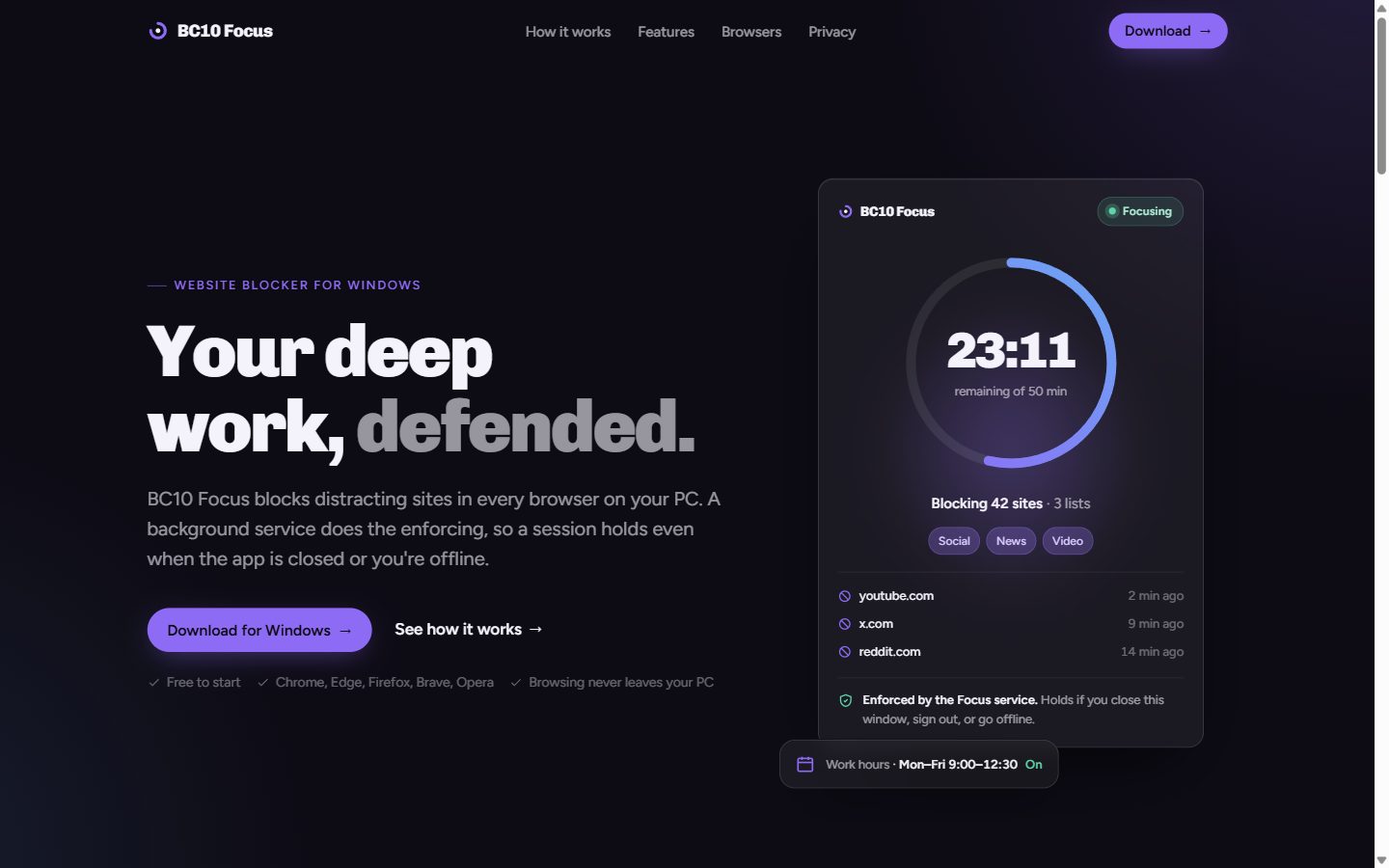
Most website blockers live inside one browser, one tab away from an off switch. The moment concentration dips, you open a different browser, pause the extension, or close it. The decision gets made in the weak moment, every time. BC10 Focus is our own product built to move that decision earlier: choose what is off-limits once, while you are clear-headed, and have the computer hold the line for you — in every browser, with the app closed, and with no internet connection.
What it does
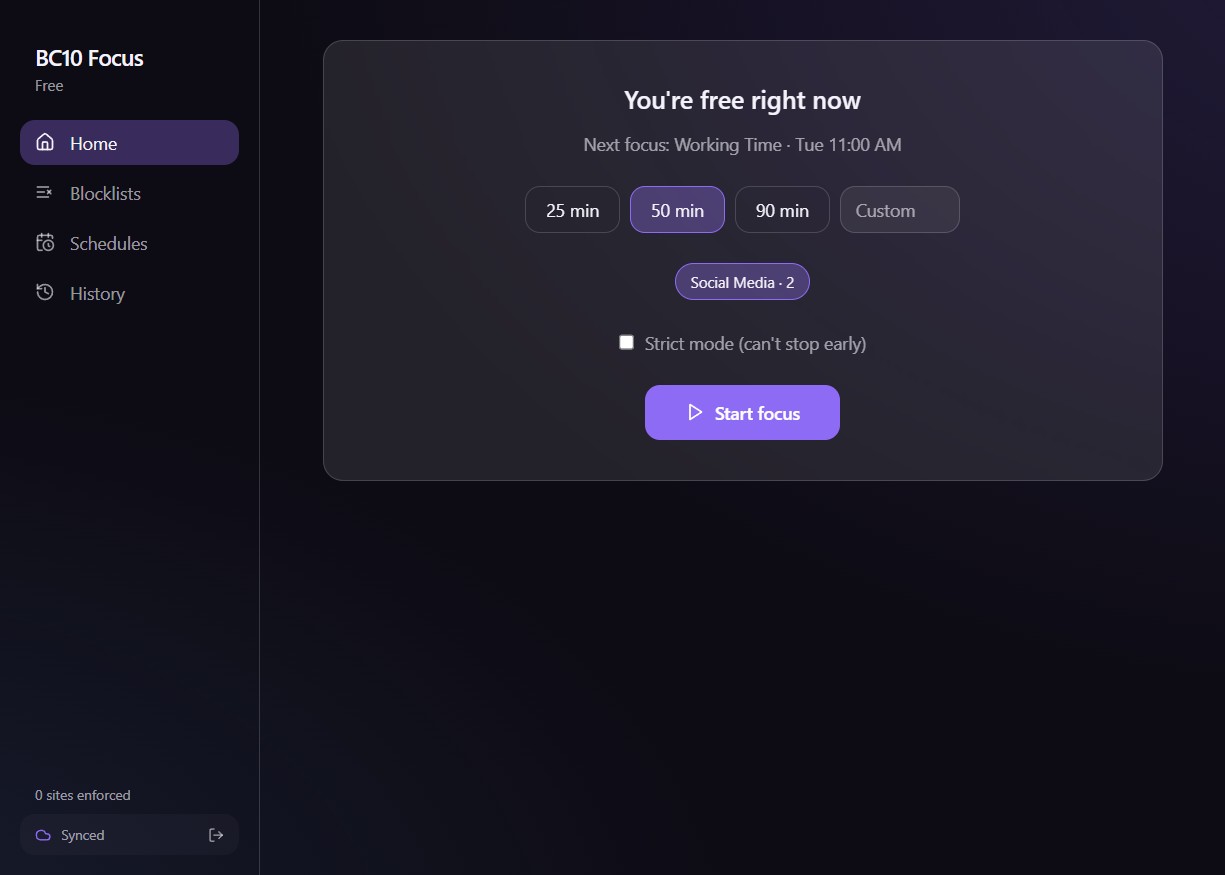
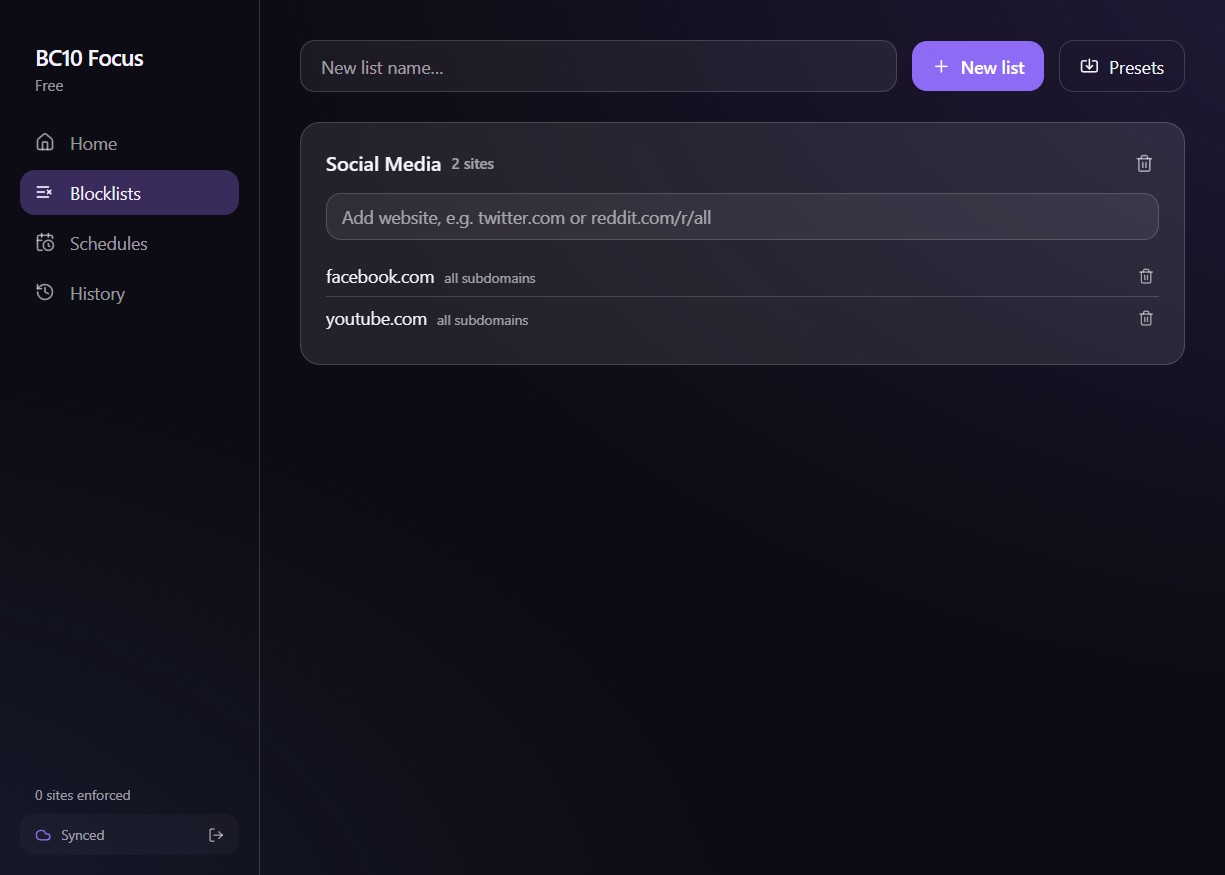
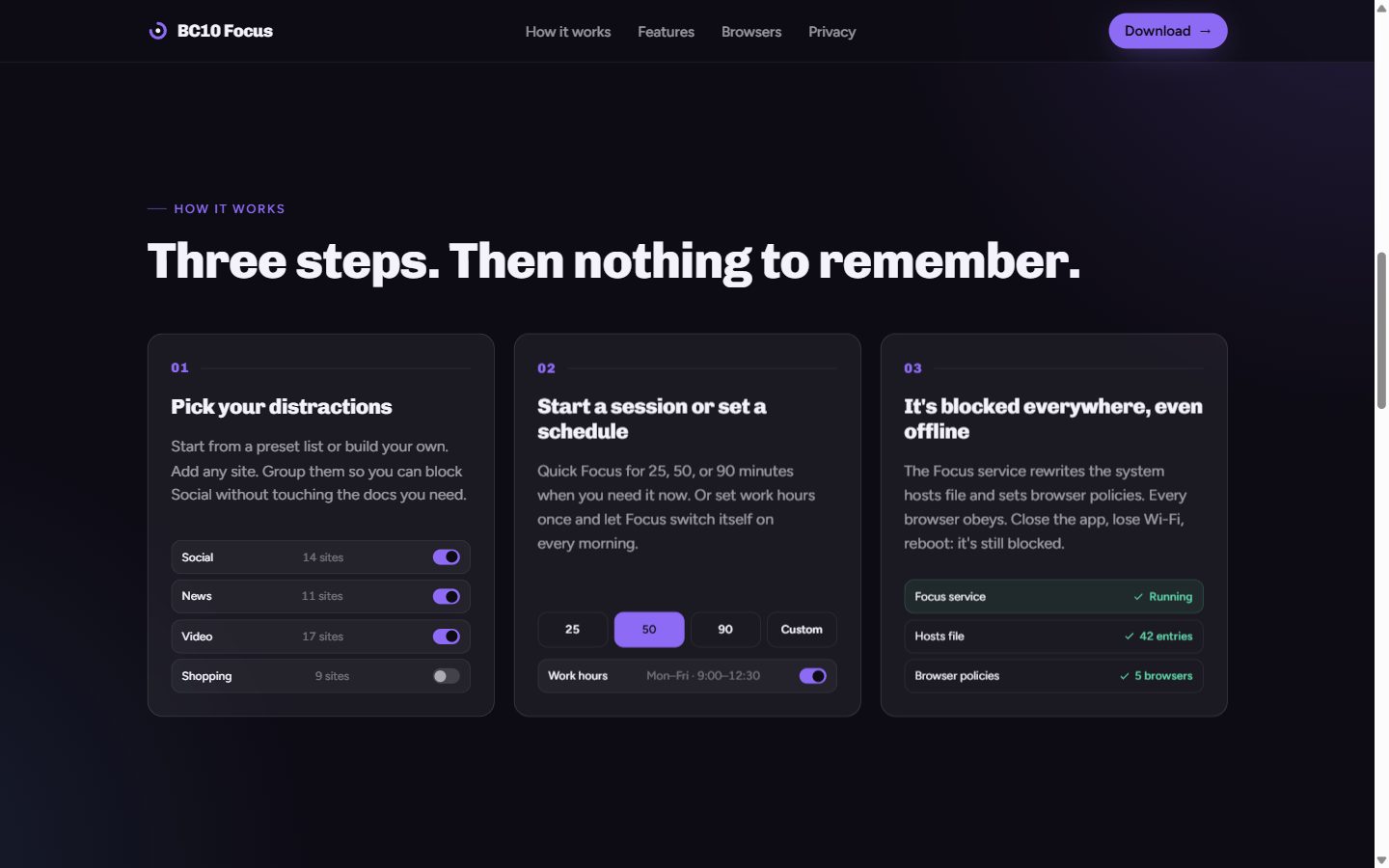
- Quick Focus sessions of 25, 50 or 90 minutes, or a custom length, against the lists you pick: Social, News, Video, Shopping, or your own.
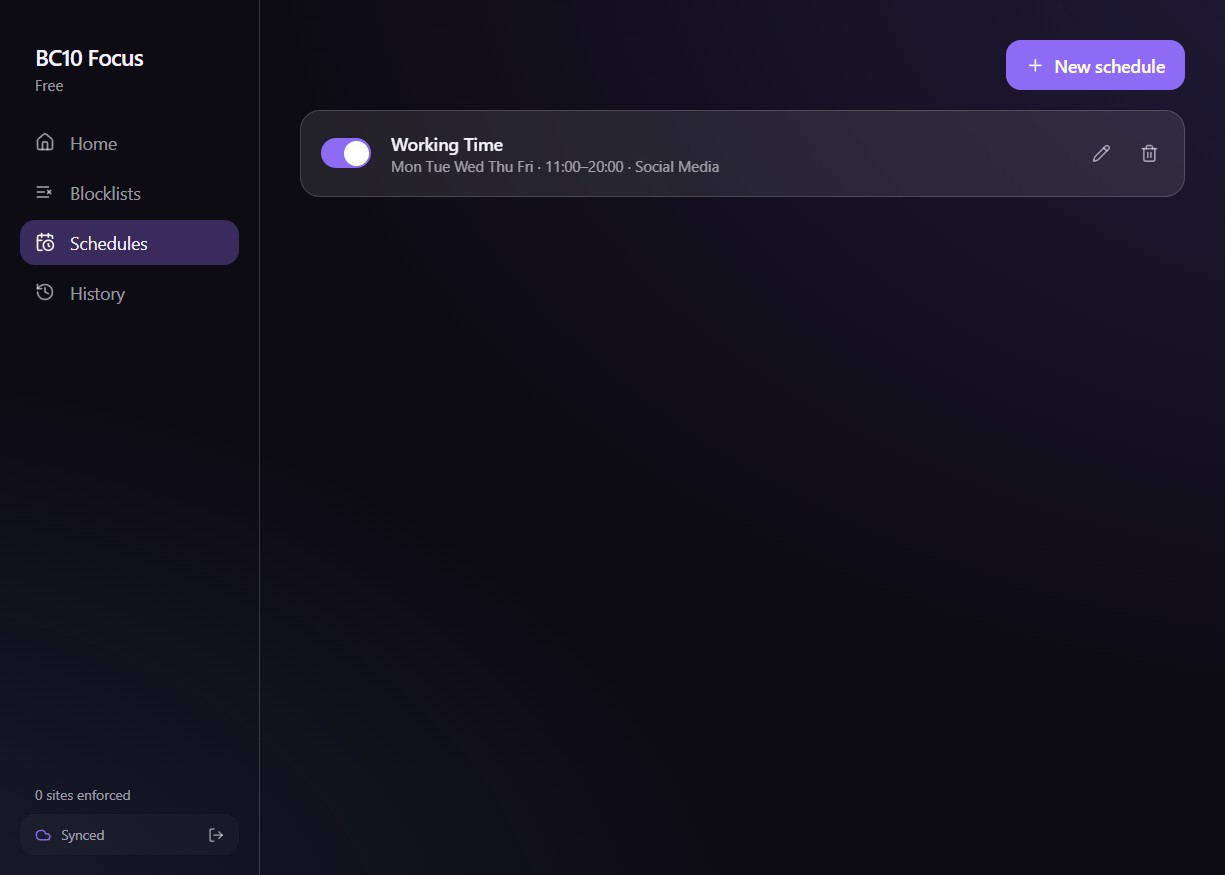
- Schedules — recurring work hours per weekday. Focus switches itself on every morning; nothing to remember.
- Strict mode — a strict session has no early exit, no pause and no “just five minutes”. It ends when the timer does.
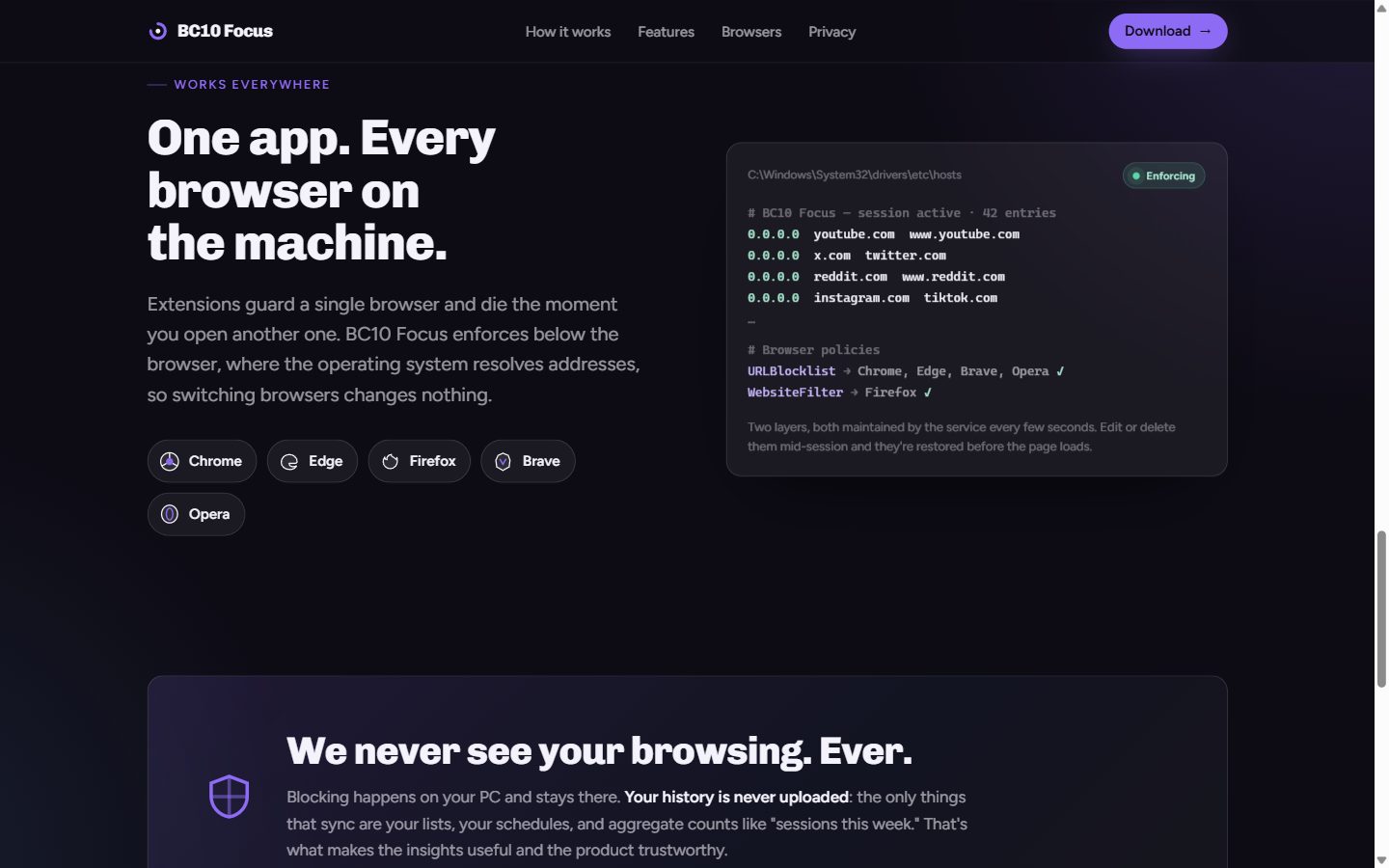
- Every browser on the machine — Chrome, Edge, Firefox, Brave, Opera, and anything else installed. Switching browsers changes nothing.
- Cloud sync and a web dashboard — lists and schedules follow you to every PC under one account, and can be managed from a browser; changes reach the desktop within about a minute.
- Insights — focus history, current streak and top blocked sites. Enough to see what pulls at you, nothing that becomes another feed.
- Privacy first — browsing history is never uploaded. Only lists, schedules and aggregate counts sync. Blocking happens entirely on the PC.
How the blocking holds
The part that makes it different is that the user interface is not the thing doing the blocking. A small Windows service, written in Rust and running as a system account, is. It keeps two layers in place while a session is on:
- A managed section of the system
hostsfile, so blocked domains resolve to nowhere for every program on the machine. - Browser policies — a URL blocklist for the Chromium family (Chrome, Edge, Brave, Opera) and the equivalent filter for Firefox — which also switch off DNS-over-HTTPS so the hosts file cannot be bypassed.
The service reconciles both layers every five seconds and on every change. Edit or delete the entries mid-session and they are restored before the page loads. Close the app, sign out, lose Wi-Fi or reboot: the service comes back with Windows and the session continues to its scheduled end.
One detail took real work: a browser that is already open keeps its policy and DNS cache in memory, so a block applied after launch is correct but invisible in that window. On session start the app finds each supported browser that has a visible window, closes it, and relaunches it with its tabs restored, so the block takes effect immediately. The same happens in reverse when a session ends, so browsers come back unblocked. Background-only browser processes are left alone, and the restart only fires for a session that genuinely just started.
Because a blocker that cannot be removed is a liability, the installer also provides an emergency reset command that clears every hosts entry and policy the service has ever written.
Architecture
- Desktop app — Tauri 2 with a React and TypeScript interface, running as the normal user. It shows status, runs the tray icon and the sign-in flow, and never touches the hosts file or the registry itself. The installer is a single file of around ten megabytes.
- Focus service — Rust, installed as a Windows service with automatic start and restart-on-failure. It owns the schedule engine, the enforcement loop, a tamper watcher, cloud sync, and a local SQLite database under ProgramData. The app talks to it over a named pipe with a JSON-RPC style protocol secured by an access-control list, and receives state-change events the same way.
- Cloud API and dashboard — Laravel 12 with MySQL. The API is the durable copy of lists, schedules, sessions and devices; the web dashboard is built with Inertia and React inside the same application. The PC never waits on the cloud to block or unblock.
- Identity — sign-in uses BC10 ID, our shared identity service. The desktop app sends email and password to the Focus API, which performs the token exchange server-side so no application secret ever ships to a client. The API verifies the resulting RS256 tokens offline against a published key set. On the PC the refresh token is stored encrypted with Windows data protection; the service refreshes it itself, so schedules stay in sync even if the app is not opened for days.
- Browser extension and native host — an optional extension reports blocked attempts to the service through a native-messaging host, which is what feeds the “top blocked sites” insight.
- Billing — free to start, with a Pro plan for sync, the dashboard and insights. The subscription webhook, plan projection and access checks are built and tested, and switch on with a configuration flag.
How we built it
The product went through six planned phases: a throwaway spike to prove hosts-file and policy blocking on a real machine; the Rust service and desktop app; the cloud API and sign-in; the web dashboard and sync; the browser extension and blocked-attempt tracking; and release tooling with the installer, billing and theme refresh. Eleven decisions — platform, stack, strict mode with no override, mandatory account, freemium — were written down and dated before the code that depended on them.
The stack was chosen for where the product needs to go: Tauri keeps the interface portable to macOS later, while the privileged work sits behind a platform-neutral enforcement interface in Rust, so a Mac version is a new enforcer, not a rewrite. The Rust core carries its own test suite, and the product site was designed and written in-house.
Status
BC10 Focus is live for Windows 10 and 11 and free to start at focus.brandcode10.com. Signed builds, automatic updates and the paid plan are the next steps on the release checklist.
Contact
Tell us what you’re building.
Send a short brief. We read every message and reply within one business day.